iOS setup
For React Native CLI apps, install Pods after installing the package:
cd ios
pod install
The native sources require Swift 5.7 or newer. For Expo apps, follow the config-plugin setup; use this page when inspecting generated native configuration.
Enable NFC
Enable NFC for your App ID on the Apple Developer website.
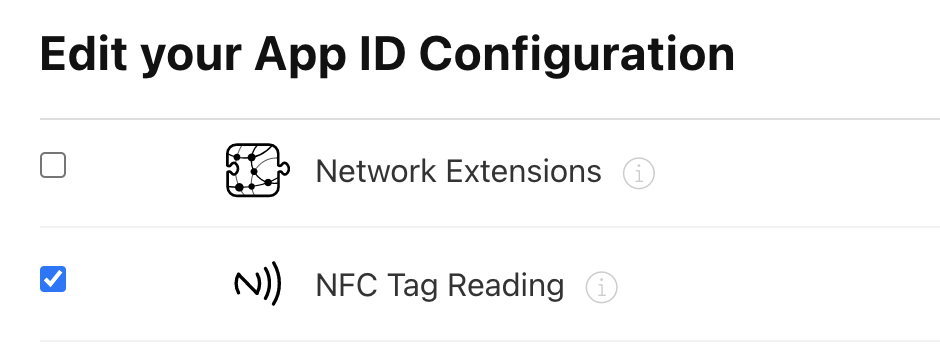
Configure Info.plist
Add NFCReaderUsageDescription to your Info.plist, for example:
<key>NFCReaderUsageDescription</key>
<string>We need to use NFC</string>
See the Apple documentation
For ISO 7816 sessions, add the application identifiers (AIDs) used by your target cards. These values are application-specific; the following illustrates the configuration shape:
<key>com.apple.developer.nfc.readersession.iso7816.select-identifiers</key>
<array>
  <string>D2760000850100</string>
  <string>D2760000850101</string>
</array>
See the Apple documentation
For NfcTech.FelicaIOS, configure the system codes required by your target cards. The following is a configuration example; select the codes for your application:
<key>com.apple.developer.nfc.readersession.felica.systemcodes</key>
<array>
  <string>8005</string>
  <string>8008</string>
  <string>0003</string>
  <string>fe00</string>
  <string>90b7</string>
  <string>927a</string>
  <string>12FC</string>
  <string>86a7</string>
</array>
Use the identifiers supplied by your card or application provider.
Signing and capabilities
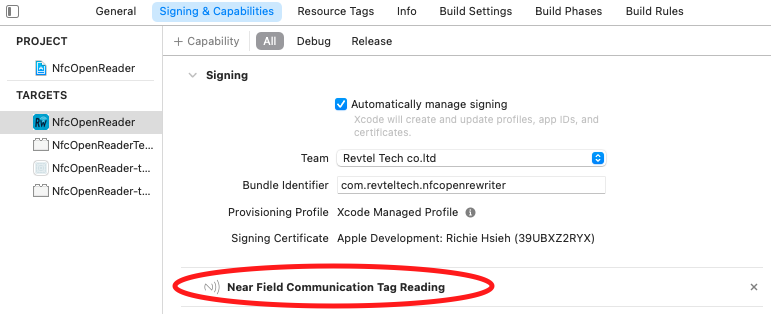
In Xcode's Signing & Capabilities tab, add Near Field Communication Tag Reading:
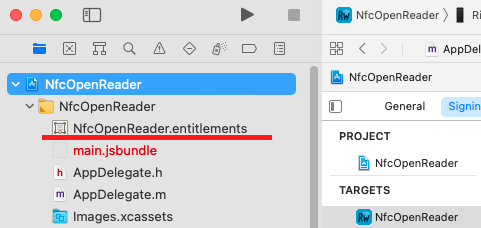
Xcode creates an entitlements file when the capability is first added:
Review the generated entitlements. The screenshot illustrates the reader-session formats; choose the formats needed by your application:

See the Apple documentation
Entitlement configuration
Review your App ID, provisioning profile and final app entitlements together. For applications requiring only TAG reader sessions, see the NDEF entitlement guide. NFC scans require a compatible physical iPhone and tag.